This post is a reference to the guide “Use Dynamic Groups for Vacation Leave” which presents how you can quickly integrate this solution in your organization. By using this solution with Bosbec Workflow Builder, you can automatically send your message mailings to your available team members, based on whether the staff members operative or not.This solution will let your team schedule when they return from vacation leave and continue receiving messages from your organization. Although, you may also send out a prioritized message, e.g., for incident management or other vital information to your entire staff regardless of their availability status.
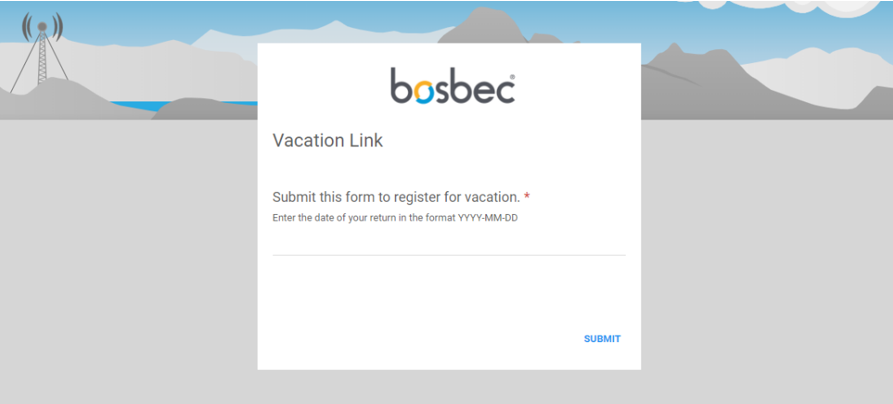
Register vacation leave
One of the main reasons to use the workflow builder for your IT solutions is that it gives you the ability to modify the workflow as needs and requirements change quickly. The corresponding document for this blog post will provide some pointers where you can make changes to the workflow template to customize the solution to your organization’s needs.This configuration has already been built and serves as a Workflow template. You only need to import the template to your workflow.
Open “Edit” in the top left corner of the Workflow Builder.
Scroll down to “Workflow Library” and open it.
Here you will see the Workflow Library of already built code snippets and templates to streamline your work process. Expand the “Snippets”-folder.
Select “Vacation Tag” to import it to the workflow canvas.
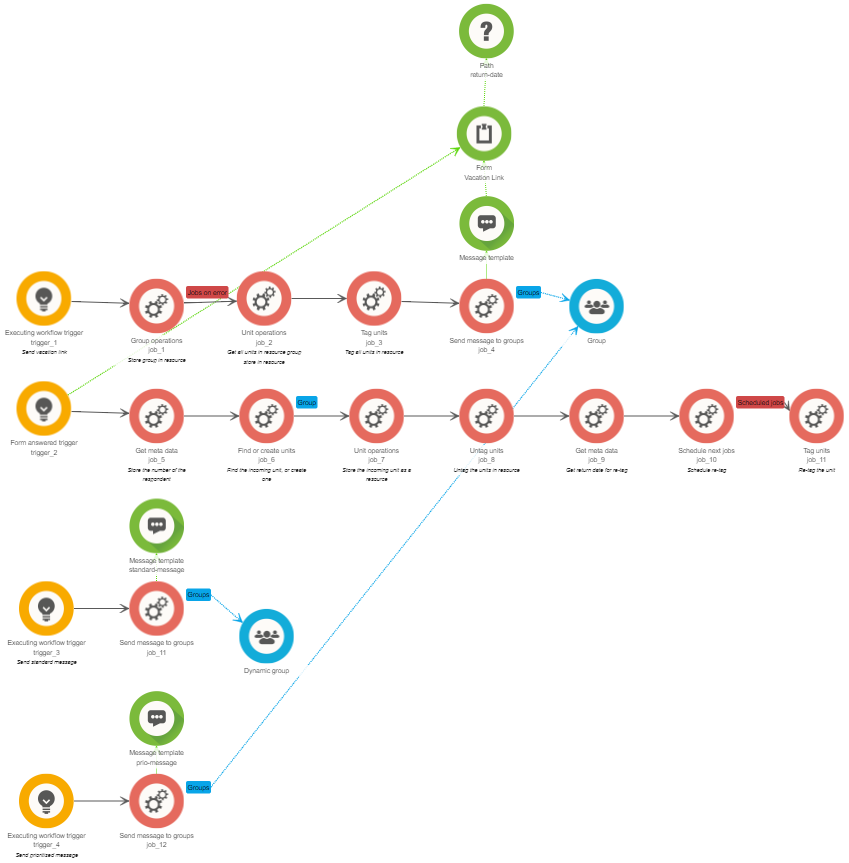
Overview of workflow template
When sending out a standard message, only the units in the dynamic group will receive messages from the mailings. This fragment consists of only one trigger and one job. Connected to the Send message to groups-job are the dynamic group and a message template that you can configure. The dynamic group consists of all units with the tag standard-recipient; thus, any staff members who have registered for vacation leave will have no tag and not be a part of the dynamic group.Sometimes you might need to alert or notify your entire staff, regardless of their vacation leave. In this case, the workflow can send out a message to all your staff members, without paying attention to the tags. Using the Send message to groups-job and connecting the standard group, you send messages to your entire team. The message can be configured and customized in the Message template-job.Use Helpas a resource to learn how to build, and do not hesitate to contact support@bosbec.com to get answers to questions and thoughts when you build your solutions in workflow builder!
Services
Integrations
Connect Dstny PBX with Odoo CRM – the Flexible Way