Manage your alarms on the go using your mobile device
How do you manage your alarms and incidents? In the event of an alarm, whether digital or physical, staff and workflows need to be administrated. How can you collect all information in one place, easily accessible for both you as a manager as well as for your staff doing the fieldwork? This service will help you handle any stressful event with ease. The service can be modified to suit the needs and requirements of different incidents and in this example, we’ll look at how we can make sure all floors are secured in the event of a fire at the workplace.We at Bosbec have developed a service where you can monitor an incident and the related alarms directly on your mobile device. The service allows you to monitor all tasks and let your team assign themselves for specific action points in your task list, which will be accessed via links in SMS messages sent to their phone numbers.
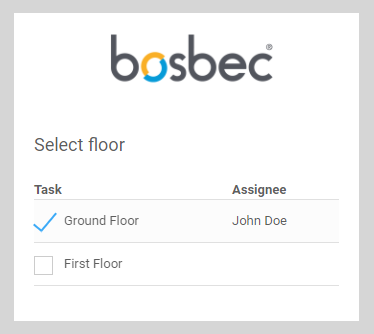
A team member selects a floor to secure
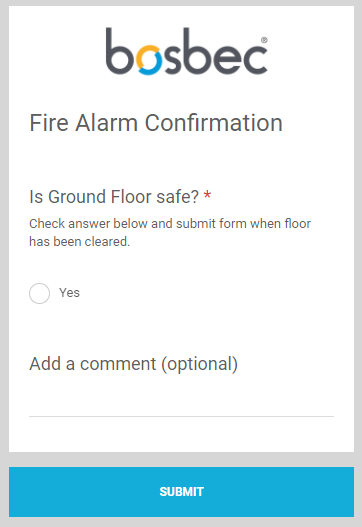
When a floor is selected, the team member will receive an SMS with a new link. This link will direct them to a form which they can use to confirm that the floor has been secured. Once all tasks have been assigned and confirmed, you as a manager will be notified that the incident has been handled.
Confirmation sent to the manager when a floor has been secured
Tasks and checklists are all customizable in the Bosbec Workflow Builder, the tool that you can use to further develop your IT solutions. You could connect this workflow to an IoT device, set up corresponding tasks, or you could manually send out a task list to your team.
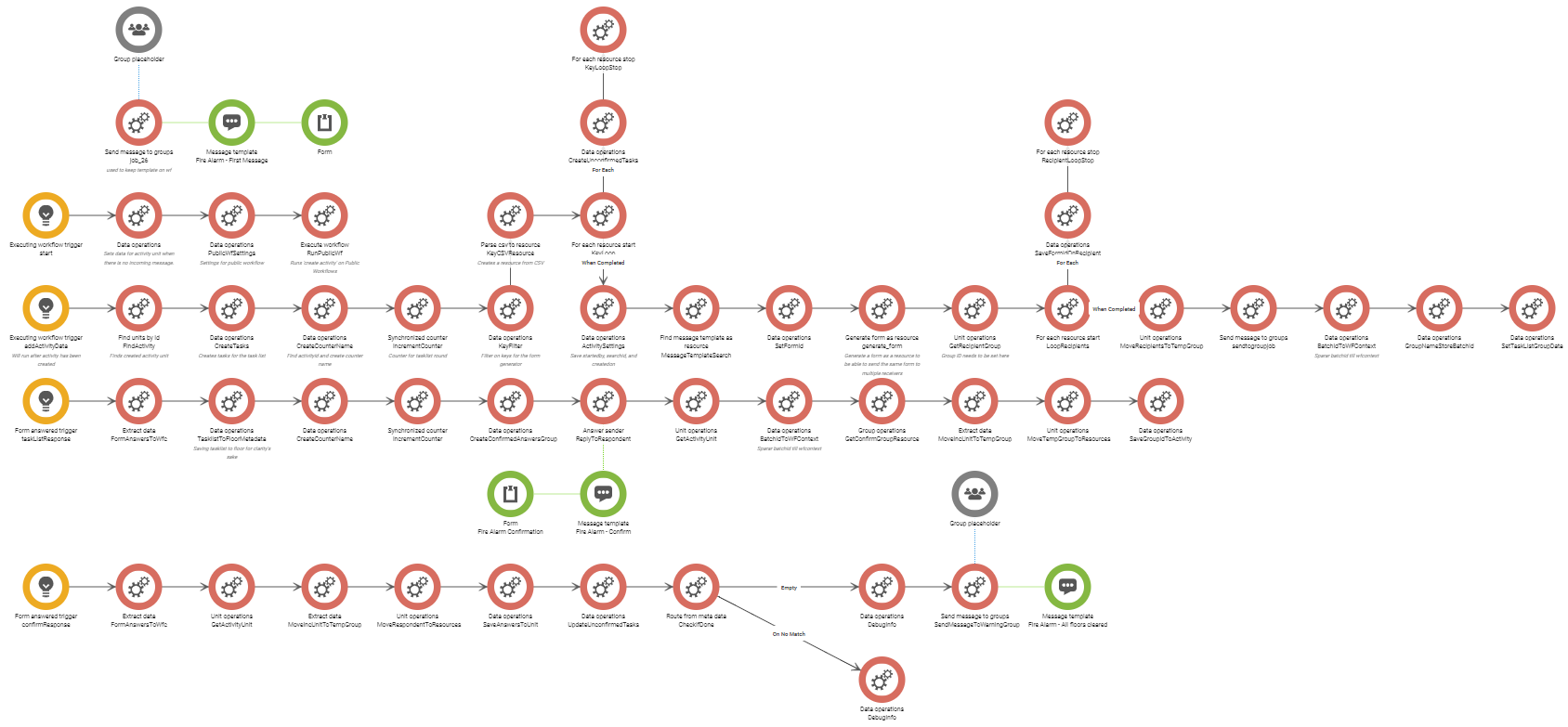
Service workflow
The workflow, the flow responsible for the logic behind the service, is customizable and adaptable to your organization. Here, you can alter the solution or add new elements like a website heartbeat monitor or an IoT device such as a fire alarm.Bosbec is your development tool, and we gladly support and encourage your ideas on how to improve your organization. Use Helpas a resource to learn how to build, and do not hesitate to contact support@bosbec.com to get answers to questions and thoughts when you build your solutions in workflow builder!
Services
Integrations
Connect Dstny PBX with Odoo CRM – the Flexible Way