Microsoft serves as a powerful spreadsheet tool, allowing users to manage and structure data and staff within an organization. We at Bosbec have created an Add-in for Microsoft Excel to let users access the Bosbec platform directly from the Microsoft Excel interface. Connected to a workflow you install on your Bosbec account, the Bosbec Add-in allows users to manage staff groups and send messages directly from the Microsoft Excel interface. Keep reading to find out more!
Import & Export groups
CSV-files are a common tool to structure and manage staff listings. Import your Bosbec groups to your spreadsheet and edit your information directly in your CSV-file. The Bosbec Add-in access both resources and functions from your Bosbec account directly from the Office Applications.
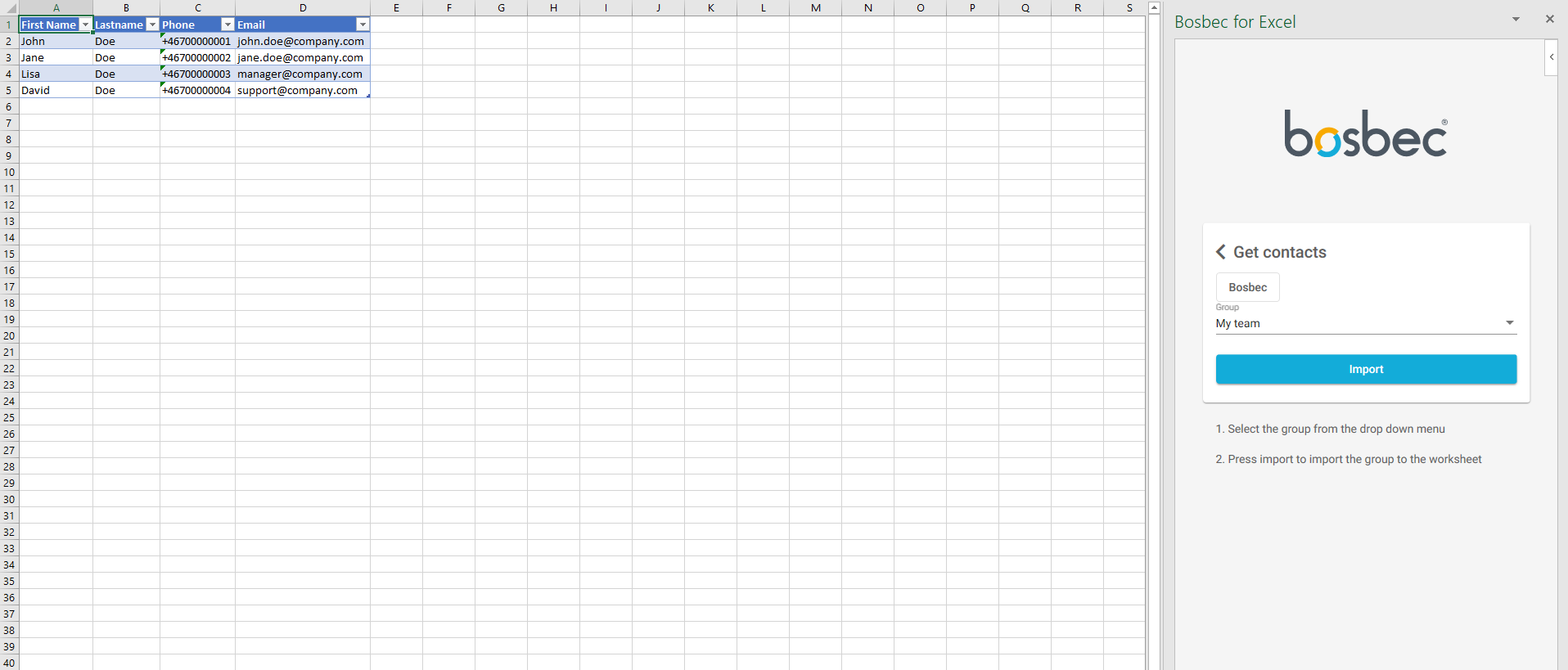
In the Add-in, located to your right, select “Get contacts” to import your contacts to the spreadsheet.
Select which group you wish to import and click “Import”.
Your spreadsheet is now updated with the imported group list.
Import of the group “My team” to the Excel spreadsheet
Saving new contacts to your Bosbec Groups is just as easy and follows the same step-by-step manner.
Write new tuples in your spreadsheet.
Highlight the added tuples.
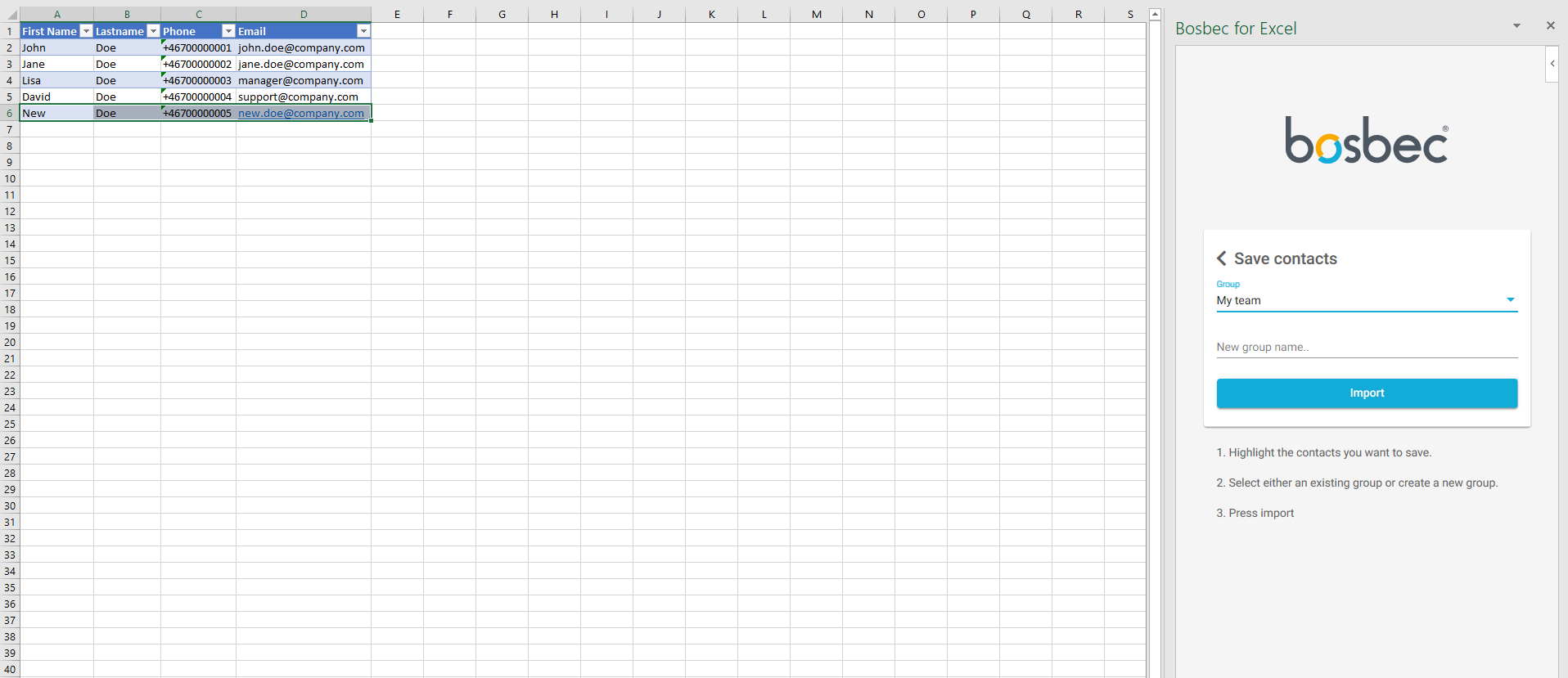
Click “Save contacts” in the Bosbec Add-in and select which group you want to update.
Save your new staff list by creating a new group in the Bosbec Add-in. Give your new group an name and click “Import”, and your Bosbec account is updated.
Adding a new member “New Doe” to the group by highlighting an added tuple in the spreadsheet. Updating”My team” in the add-in group list.
Create new staff constillations by writing a new group name in the Bosbec Add-in. Finish your new import by clicking “Import” in the add-in.
Send SMS and e-mail directly from Excel
Stay within one single application for your team communication and to notify your team. The Bosbec Add-in accesses functionality of Bosbec WE, the workflow engine of our systems, and allows message mailings directly from Microsoft Excel. This is an efficient tool for notifying and managing your staff, send single messages or create mailings for several recipients.
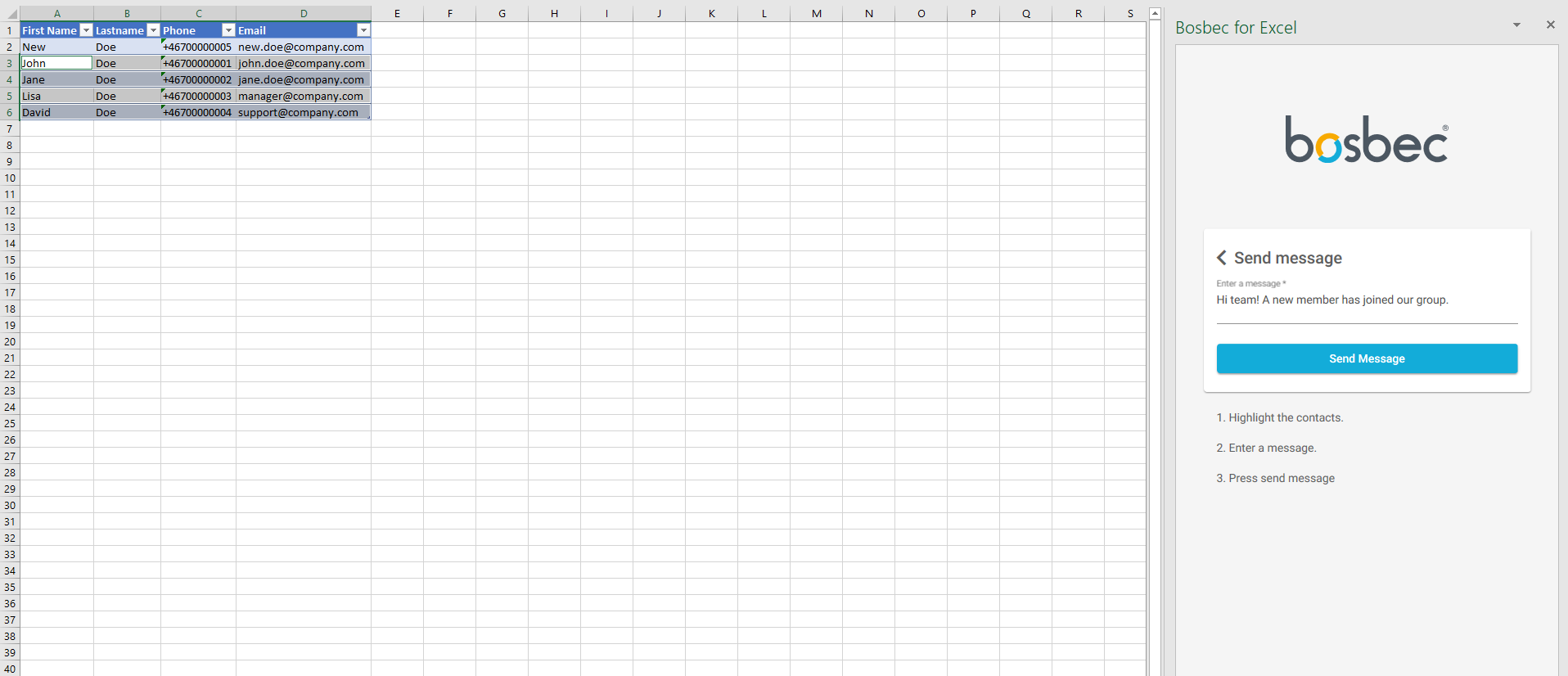
Sending a message to your team members directly from Excel by highlighting the recipients in the spreadsheet.
Sending SMS or e-mail messages to your spreadsheet contacts in three steps.
Highlight all the contacts you wish to send a message to.
Select “Send message” in the Add-in and write your message.
Complete the mailing by clicking “Send message” and your recipients have recieved a message!
This functionality is a powerful tool to streamline your staff management in Microsoft Excel, and with the use of Bosbecs unit and group structure you can import your staff anywhere you go.This add-in is developed with the Bosbec WE, a software engine used to develop customized and automized IT-solutions. With Bosbec WE you can create your own IT-solutions in the Bosbec Workflow Builder, a low-code development platform. Contact our support team to share your ideas and questions on how you can improve your business, we’ll gladly guide you through your development!